
Visual investing strategy builder
Build an investing strategy
without writing code.
Connect visual blocks to decide what to hold and when to rebalance. Test your rules on historical data, then practise with virtual money.
Explore without an account. Sign in to save a strategy or run a backtest.
 AAPL
AAPL MSFT
MSFT NVDA
NVDA AMZN
AMZN GOOGL
GOOGLPercent change. Each stock receives a score for its percentage price change over the selected period. A different period can change the ranking.
Illustrative prices and a virtual balance. No real trades.
What is a Mind?
An investing strategy
made from blocks.
In Future, your strategy is called a Mind. Its blocks define which assets to consider, how to compare them and how much to allocate to each one.
Start with a template, read its rules and change them to try your own idea.
“Each month, compare the percentage price changes of these 12 funds over the past year. Select the top three and allocate the same amount to each.”
- Choose from
- 12 funds
- Compare
- Past-year price changes
- Hold
- Top 3, equal amounts
- Review
- Monthly
Open this template in Studio to edit its rules. The demo above uses five sample stocks.
A five-step example
See how the rule
chooses three stocks.
This lesson uses five stocks and invented prices to explain the selection rule. Follow each step from choosing stocks to dividing a sample budget. Play the lesson or choose a step.
ONE EXAMPLE FROM FUTURE LEARN
Pick 3 stocks by past-year return.
See how one investing rule makes a choice. Press Play, or choose any step.Explore at your own pace
Start with five stocks
Only stocks in this list can be selected by this rule.
- AAPLAppleIn the pool
- MSFTMicrosoftIn the pool
- NVDANVIDIAIn the pool
- AMZNAmazonIn the pool
- GOOGLAlphabetIn the pool
Your list sets the boundary. Stocks outside it cannot be selected.
These prices, returns and budget are invented teaching numbers, not historical results or forecasts. Target amounts are before costs. No money is invested.
See this type of rule in real Studio blocks
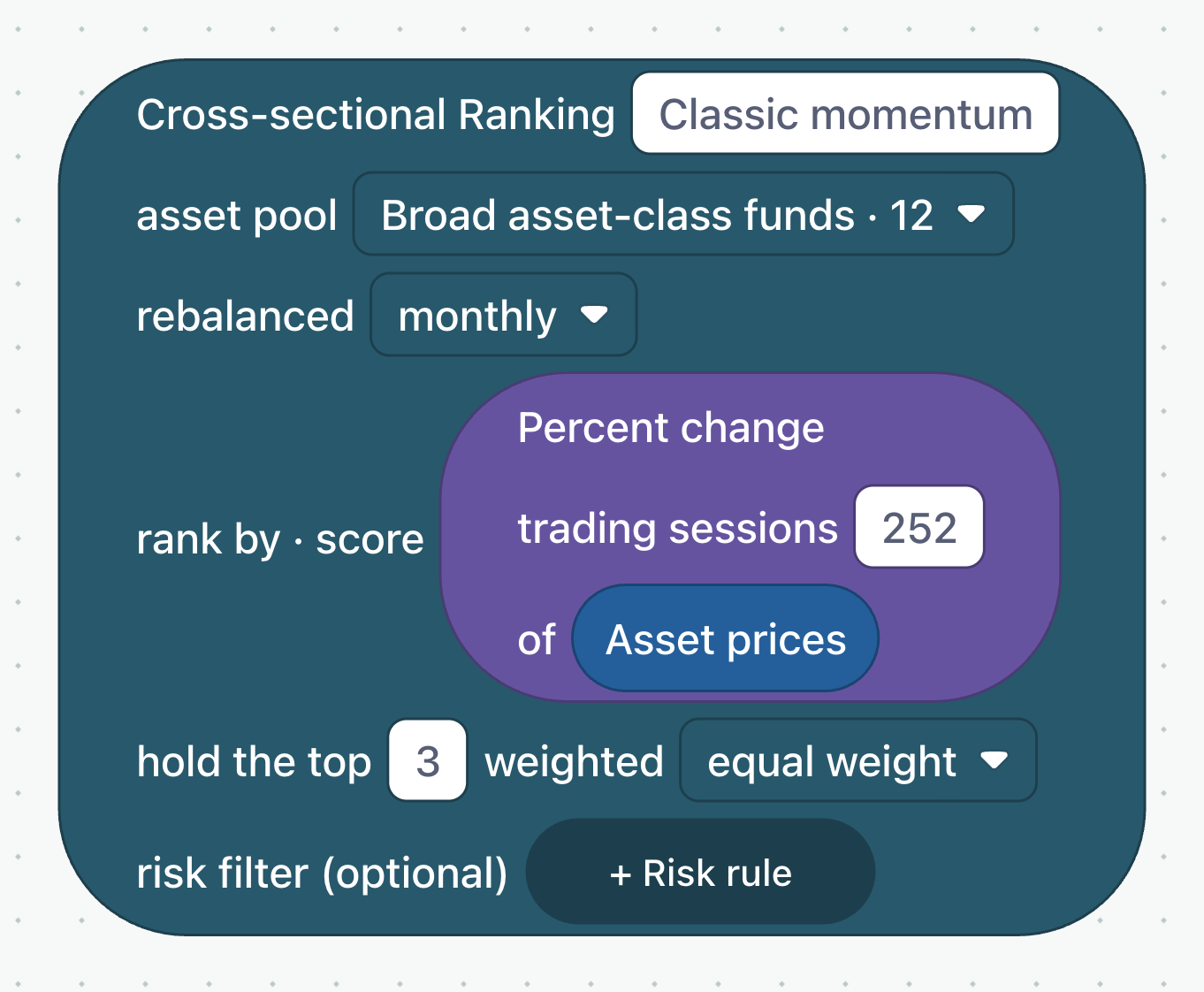
The same steps, using editable blocks.
The Classic momentum template uses a group of ETFs. The five stocks above explain the same rule: compare price changes, select the top three, and give them equal target amounts.
Company symbols: Font Awesome Free (CC BY 4.0), Simple Icons (CC0) and Google. Trademarks belong to their owners.
Working in Future Studio
Build a Mind.
Test its rules.
Choose the rules, check how they behave on historical data and try them with virtual money.
Explore the templates- 01
Build your strategy
Choose a template or start with a blank canvas. Connect blocks for market data, comparisons, conditions and portfolio weights.
- 02
Test it on historical data
A backtest applies your rules to a past period. Inspect returns, drawdowns, turnover and costs, then adjust your assumptions.
- 03
Practise with virtual money
Use your saved rules in a simulated portfolio. Review what happens and return to the blocks when you want to change the strategy.
Before you start
Do I need to know how to code?
No. Studio uses visual blocks. Start with a template and change its settings. Lessons and reference pages explain what each block does.
What can I try without an account?
You can explore Studio, open templates and read the lessons. Sign in to save your work and run a historical test.
Does building a strategy place a trade?
No. Creating or editing a strategy does not place a real-money trade. Future lets you test strategies on historical data and practise with virtual money. Historical results do not predict future returns.
Is this the interview practice app?
Future is a separate TradeMind product for exploring investing strategies. For mental maths and quant interview assessments, visit TradeMind Prep.
Start with a template
Choose a template.
Try your own rules.
No account needed to explore.